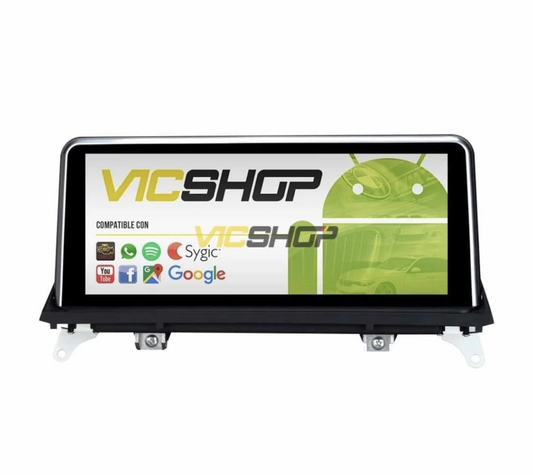

Digital instrument panel for BMW 3 Series E90 E91 E92 E93
Digital instrument panel for BMW 3 Series E90 E91 E92 E93
Transform your BMW driving experience with the high-resolution digital instrument cluster. Designed specifically for the E90, E91, E92 and E93 3 Series models, this modern panel not only enhances the aesthetics of your vehicle's interior, but also provides advanced functionality and cutting-edge technology. Its installation is simple thanks to the Plug & Play system, allowing for hassle-free integration. This instrument cluster is not only a visual improvement, but also offers an intuitive interface that makes it easy to access vehicle information, making every trip safer and more enjoyable.
Technical characteristics
The digital instrument cluster for the BMW 3 Series offers a range of technical features that make it an ideal option for those looking to modernize their vehicle without compromising quality or functionality. With a 1920x720p Full HD display, the panel ensures a clear and accurate display of all essential vehicle information. In addition, its ergonomic design ensures that all data is easily readable, even in low light conditions or during night trips.
Customizable resolution and styles
In addition to its high resolution, the instrument panel allows you to customize the appearance with four different styles: Classic, Technology, Track and Comfort. These styles offer flexibility to adapt to your aesthetic and usage preferences, ensuring you always have the information you need in the way you prefer. For example, Classic mode may be ideal for those who prefer a more traditional design, while Technology mode offers a more futuristic and data-filled interface.
Track mode is perfect for sports driving enthusiasts, providing detailed information about the vehicle's performance in real time. On the other hand, Comfort mode is designed to offer a relaxed driving experience, with a clean and easy-to-read interface, ideal for long trips where comfort is paramount.
| Parameter | Value | Notes |
|---|---|---|
| Resolution | 1920x720p | High definition |
| Display modes | 4 | Classic, Technology, Track, Comfort |
| Compatibility | Series 3 E90, E91, E92, E93 | Plug & Play |
| Supported languages | Spanish, English, German, French, Italian, Russian, Japanese | Multiple languages |
| Power on | 2 seconds | Fast |
Compatibility with BMW models
This instrument cluster is specifically compatible with BMW 3 Series E90, E91, E92 and E93 models. Its plug & play design ensures that no modifications to the vehicle are required, allowing for quick and easy installation. This is especially beneficial for those who want to upgrade their vehicle without the need to make complex changes to the electrical system or structure of the car.
Compatibility details
Compatibility is a crucial factor when considering upgrading any vehicle component. This instrument cluster has been designed to integrate perfectly with the series mentioned, meaning you won't have to worry about incompatibility issues. However, it is always advisable to check the model specifications of your vehicle before proceeding with the purchase.
| Body/series | years | Headlight type | Hoop position/diameter | Observations |
|---|---|---|---|---|
| E90 | Data not available | Data not available | Data not available | Plug & Play |
| E91 | Data not available | Data not available | Data not available | Plug & Play |
| E92 | Data not available | Data not available | Data not available | Plug & Play |
| E93 | Data not available | Data not available | Data not available | Plug & Play |
Advantages and benefits
The digital instrument cluster provides a number of benefits that significantly improve the driving experience. In addition to a modern look, it offers real-time data on vehicle performance such as speed, RPM, tire pressure and fuel consumption. This data is not only useful to the driver, but can also help detect potential problems before they become major failures, allowing for more effective preventive maintenance.
Advanced features
The real-time display includes critical information such as digital speedometer, engine status, tire pressure and fuel consumption. Other important data such as mileage, oil and water temperature, and door open warnings are also displayed, all easily controlled from the buttons on the steering wheel. This functionality is especially useful for drivers who value safety and want to have complete control over the status of their vehicle at all times.
Additionally, the instrument cluster offers customizable alerts that can be configured to notify the driver of specific events, such as the need for an oil change or the detection of a low fuel level. These alerts are a valuable tool for keeping your vehicle in optimal condition and preventing costly mechanical problems.
Step by step installation
Installation of the digital instrument panel is simple thanks to its plug & play design. Here we provide you with a detailed guide to the installation process, ensuring that even those with little mechanical experience can complete the installation without difficulties:
Installation Guide
- Disassemble the original instrument panel using the tools provided. Be sure to store screws and small parts in a safe place to avoid loss.
- Disconnect the old instrument panel. It is important to do this carefully to avoid damaging the electrical connectors.
- Connect the new digital instrument panel. Make sure all connections are secure and in the correct position.
- Screw it back in and check that the system works correctly. Once installed, turn on the vehicle to verify that all the indicators and functions on the dashboard operate as expected.
It is advisable to perform a test run before reassembling all the dashboard parts, to ensure that the installation has been successful. If you encounter any problems during installation, please refer to the user manual or seek professional assistance to avoid damage to the vehicle's electrical system.
Maintenance and care
To ensure the proper functioning and durability of the digital instrument cluster, it is important to follow certain maintenance practices. Keep the screen clean by using a soft cloth and avoid using harsh chemicals that could damage the surface. Regular maintenance not only extends the life of the device, but also ensures that information is displayed clearly, without visual obstructions.
Cleaning recommendations
We recommend cleaning the screen with a microfiber cloth slightly dampened with water or a specific cleaner for electronic screens. This will help maintain screen clarity and prevent damage. In addition, it is advisable to avoid direct and prolonged exposure to the sun to prevent premature wear of electronic components.
If the screen has stains that are difficult to remove, use a specialized screen cleaner, applying it gently so as not to scratch the surface. It is also important to periodically check the electrical connections to ensure that there is no corrosion or wear that could affect the performance of the frame.
Real use cases
Many drivers have experienced significant improvements in their driving experience after installing the digital instrument cluster. The ability to customize visible data and quick access to key information contribute to more informed and safer driving. For example, on long journeys, having immediate access to fuel consumption and tire pressure can be crucial for making adjustments to optimize vehicle performance.
User Testimonials
Users highlight the ease of installation and the visual improvement inside the vehicle as the main benefits, in addition to the accuracy of the information provided in real time. One driver commented that after installing the box, the driving experience became more immersive and safer as he could monitor all critical aspects of the vehicle without distractions.
Another user mentioned that Track mode allowed him to adjust his driving style on winding roads, improving his performance and efficiency. The ability to easily switch between display modes has also been highlighted by those who share the vehicle with other drivers, allowing for quick and easy customization to individual preferences.
Common mistakes to avoid
During installation, it is important to follow the instructions carefully to avoid errors. One of the most common mistakes is not connecting the new box correctly, which can cause operating problems. It is essential to review each step of the installation process and ensure that all connections are secure before starting the vehicle.
Installation Tips
Make sure all connections are tight and the frame is screwed down properly before turning it on for the first time. This will prevent malfunctions and ensure a successful installation. Additionally, it is advisable to perform a test run before completing the installation to ensure that all systems are operational.
If you have no prior experience installing electronic components in vehicles, consider consulting a professional. This will not only ensure proper installation, but will also protect the integrity of your vehicle's electrical system.
Frequently asked questions
To answer some of the most common questions about the digital instrument cluster, we have compiled a list of frequently asked questions. These answers will help you better understand the capabilities and limitations of the product, ensuring that you can take full advantage of its features.
Is it compatible with my BMW model?
This instrument cluster is designed specifically for BMW 3 Series E90, E91, E92 and E93 models. It is important to verify exact compatibility before purchase to avoid inconvenience.
Does it require any type of coding?
No, the installation is completely plug & play and requires no additional coding. This means that you can enjoy its benefits without the need for complex technical adjustments.
What do I do if the screen does not turn on?
Verify that all connections are correctly made and that the frame is securely screwed. If the problem persists, consult a professional to ensure there is no underlying problem.
Can I change display styles while driving?
Yes, display styles can be changed using the buttons on the steering wheel. This allows you to personalize the driving experience without having to stop the vehicle.
How is the maintenance of the frame carried out?
It is recommended to clean the screen regularly with a microfiber cloth. Keeping the box clean ensures that information is displayed clearly and the device functions properly for longer.
Conclusion
The digital instrument cluster for the BMW 3 Series is a valuable investment for any owner looking to improve both the aesthetics and functionality of their vehicle. With easy plug & play installation and a host of advanced features, it offers an enhanced and personalized driving experience. Additionally, the ability to obtain real-time information on vehicle performance can significantly contribute to safety and efficiency on the road.
Before making your purchase, it is crucial to check the specific compatibility on the product's technical data sheet to ensure it meets your requirements. For more details, you can visit the product page and consult all the necessary information.
- bmw instrument panel
- bmw digital instruments
- bmw digital dashboard
- bmw 3 series e90
- bmw e91 digital panel
- bmw lcd screen
- bmw 3 series modernization
- bmw automotive technology
- bmw customization
- improves driving experience
Content reviewed by automotive technician.
Note: Exact compatibility and technical specifications must be verified in the product sheet before purchase.